
Documentation / Set-up guides / Orders and money
Card payments with Stripe
On this page
For a Desk on its own deployment. A hosted workspace does not have this page. Ask us what your workspace offers in its place.
Customers pay a proforma or a tax invoice by card, through your own Stripe account. The desk makes the link and reads the result. It never holds a card number and never sends money: a refund is made in Stripe.
Before you start
- A Stripe account in the name of the company that issues the invoices.
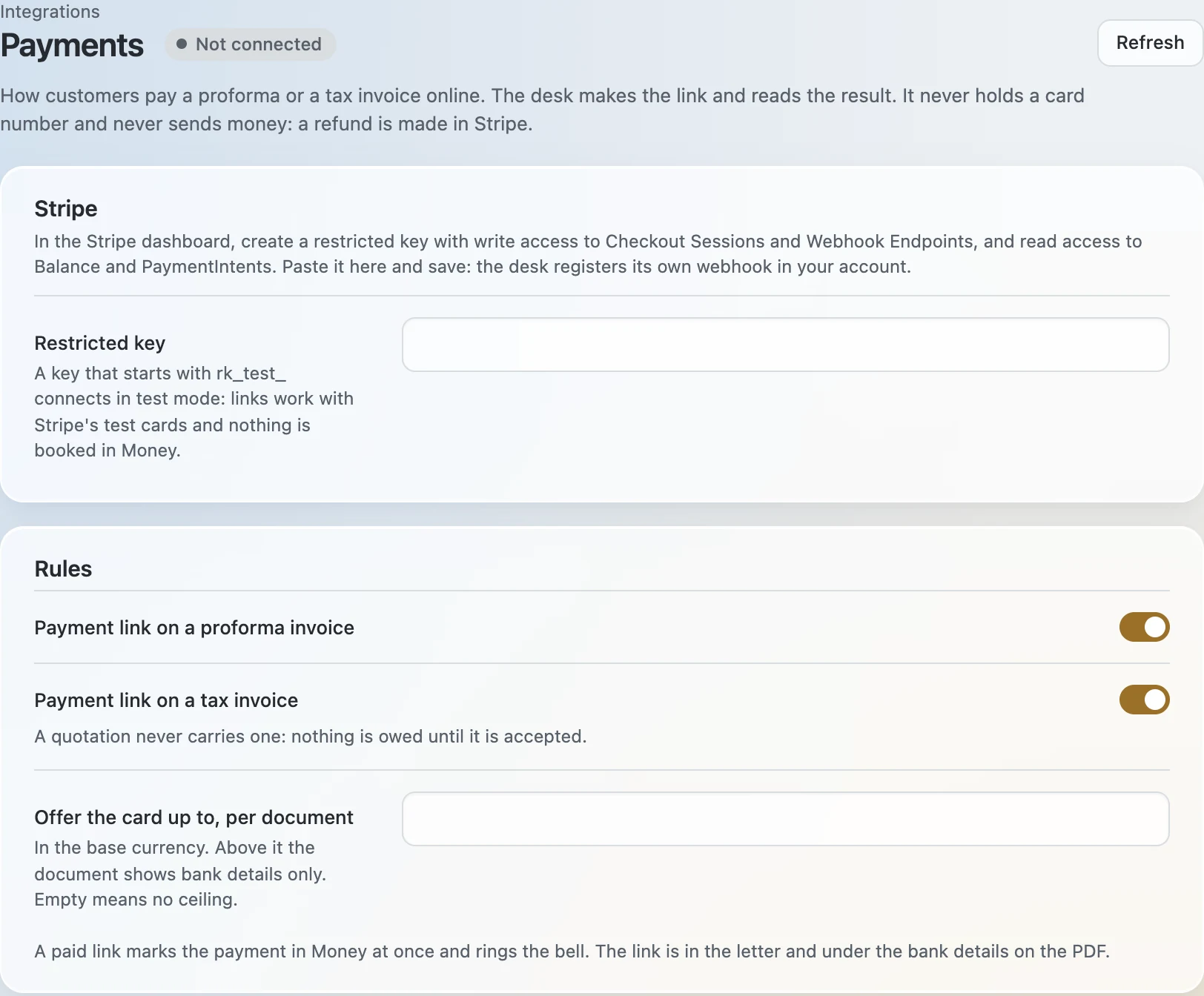
- In the Stripe dashboard, a restricted key with write access to Checkout Sessions and Webhook Endpoints, and read access to Balance and PaymentIntents.
Connecting Stripe
- Open Admin → Integrations → Payments.
- Paste the key into Restricted key and press Save changes. The desk checks the key and registers its own webhook in your Stripe account; Webhook signing secret fills itself in.
- Press Test connection. The answer you want says that the key works and that the webhook is registered. The pill then reads Connected.
- Set the rules. Choose whether a proforma invoice and a tax invoice carry a payment link and, if you wish, the largest amount offered by card: above it a document shows bank details only.
Start in test mode. A key that starts with rk_test_ connects in test mode: links work with Stripe's test cards and nothing is booked in Money. Replace it with the live key once you have seen a test payment through.
If the pill reads Webhook missing
The key could not create the webhook. Give the key write access to Webhook Endpoints and test again. Or add the endpoint by hand in Stripe: point it at the address shown under Webhook signing secret, for the events checkout.session.completed and checkout.session.async_payment_succeeded, and paste its signing secret here.
What the customer sees
- The link is in the letter that carries the document and under the bank details on its PDF, as Pay by card. On the document's card in the ERP, Online payment has Copy link, for sending it another way.
- The link does not expire and always asks for what is still owed. The customer pays on Stripe's own page.
- A quotation never carries a link: nothing is owed until it is accepted.
When a payment arrives
- It is booked in Money at once and exactly once, under Stripe's payment reference, and the bell rings. Against a tax invoice it is booked on the invoice; against a proforma, as an advance on the order.
- If Money cannot book it, the notice A card payment could not be booked asks a person to book it.
- Refunds, disputes and payouts are handled in Stripe.