
Customer work.
Connected from the start.
AI agents handle conversations and prepare the work.
Your people review, decide and move business forward.
People and agents work from the same customer context.
CRM and ERP software.
Connected by AI agents.
CRM keeps your customer relationships and sales pipeline in view. ERP connects enquiries, supplier quotations and orders. AI agents help with calls and email, while your people review decisions and own the next step.
Explore the complete workflow with Aster Equipment, a fictional customer. Your demo changes stay in this browser.
Start the customer storyYour workspace.
On your phone.
Keep work moving when you are away from your desk. Review calls, find customer details, manage tasks and read your inbox in the Terramine Desk mobile apps.
Open orders and documents, or ask Desk a question. Your phone connects to the same workspace your team uses on the web.
On a Mac, the desk also opens in a window of its own, with tabs and notifications. See the Mac app
Explore the phone apps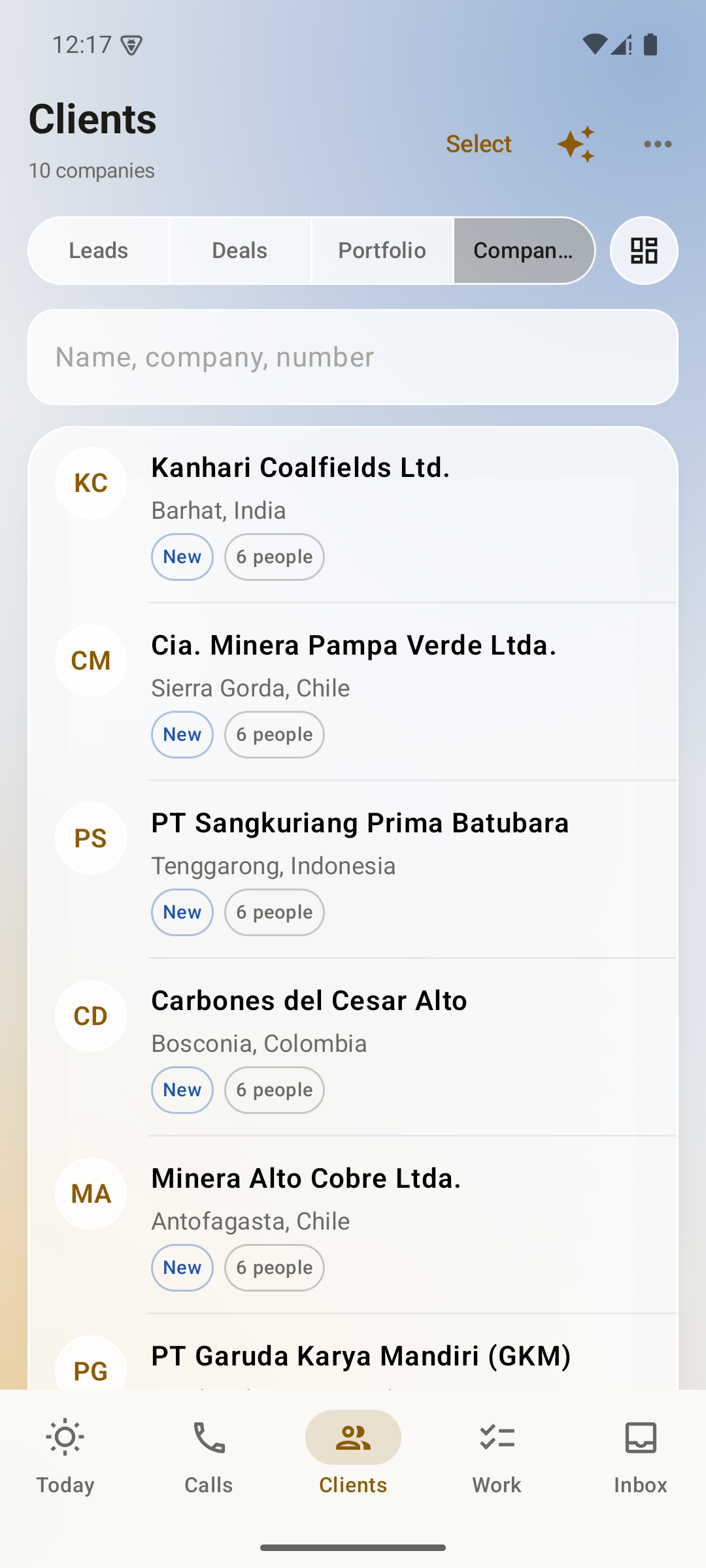
Android
See Android screens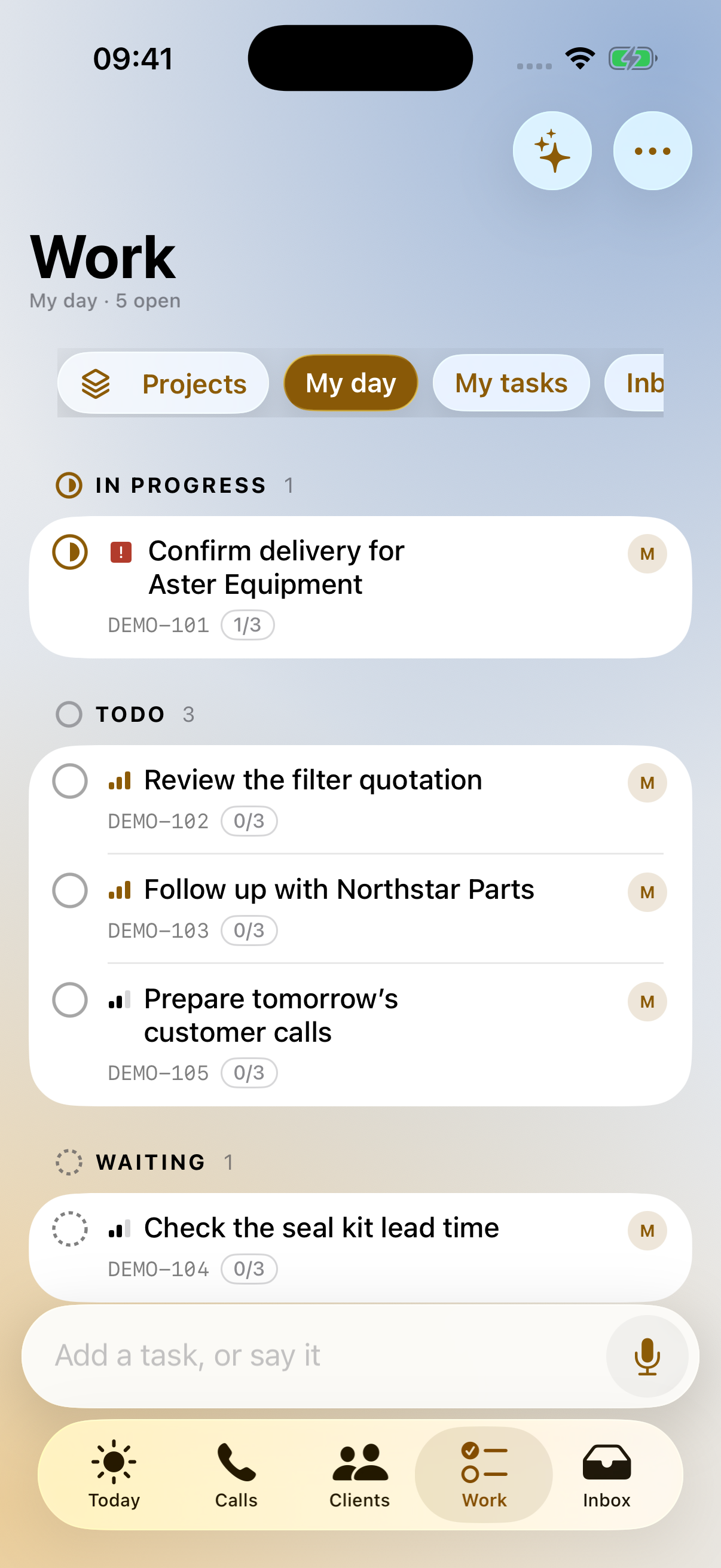
iPhone
See iPhone screensActual app screens with fictional demo data.
Your workspace, one conversation away.
Chat with Terramine Desk to find information, understand what's happening and get work done across CRM, calls, email, orders and tasks.
Built-in tools connect the AI to your workspace records and actions. Ask in your own words: the assistant can look up information, bring the context together and prepare changes for your approval.
Review proposed plans before confirming. Small edits to the open record can apply immediately; enabled automation follows its configured rules.
Discuss your workflowWhat you can ask
- What happened with this customer?
- Which enquiries still need a reply?
- Create a deal and a follow-up task.
- Schedule a callback for tomorrow.
- Summarise this email and its attachments.
Explore the tools.
See how they work together.
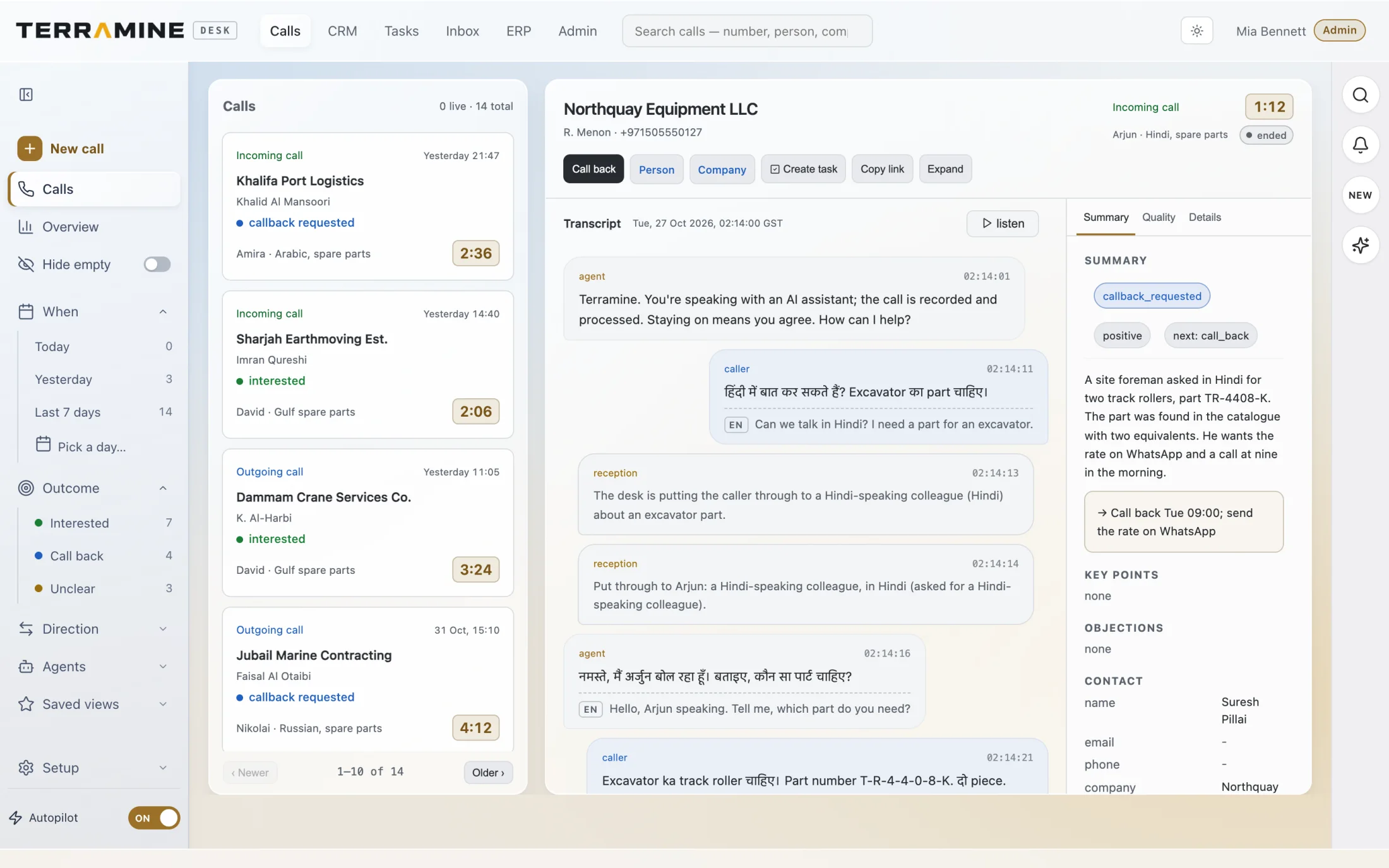
AI voice agents that keep every conversation connected.
Answer customer enquiries and follow up by phone with AI voice agents connected to your CRM. Calls, transcripts and next actions stay in the same workspace as your sales team.
Explore AI voice agents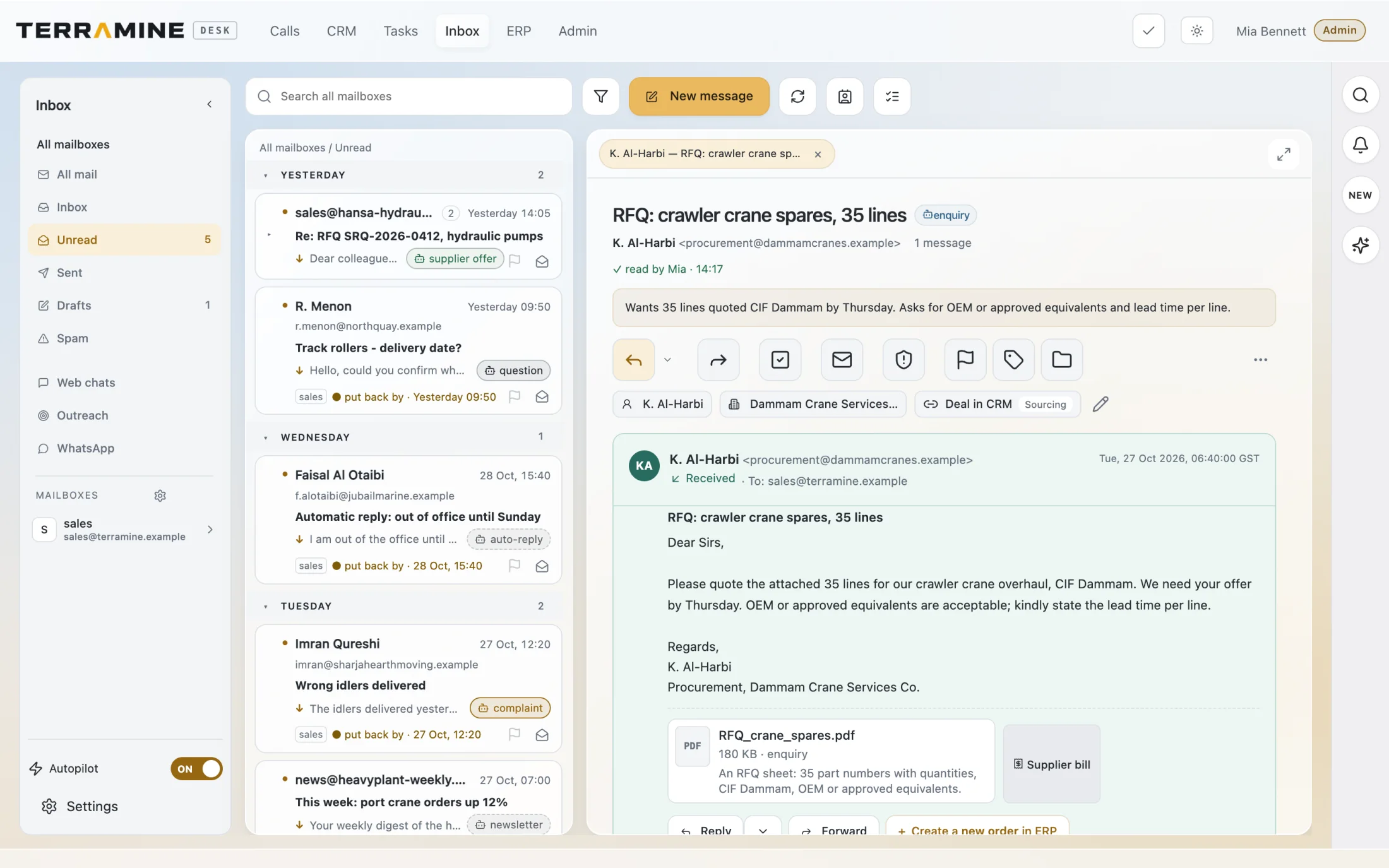
Turn sales emails into the next action.
Terramine Desk summarises emails and attachments, recognises documents and prepares reply drafts for your team. Email and WhatsApp chats arrive in one Inbox, connected to your customers, tasks and orders.
Explore Inbox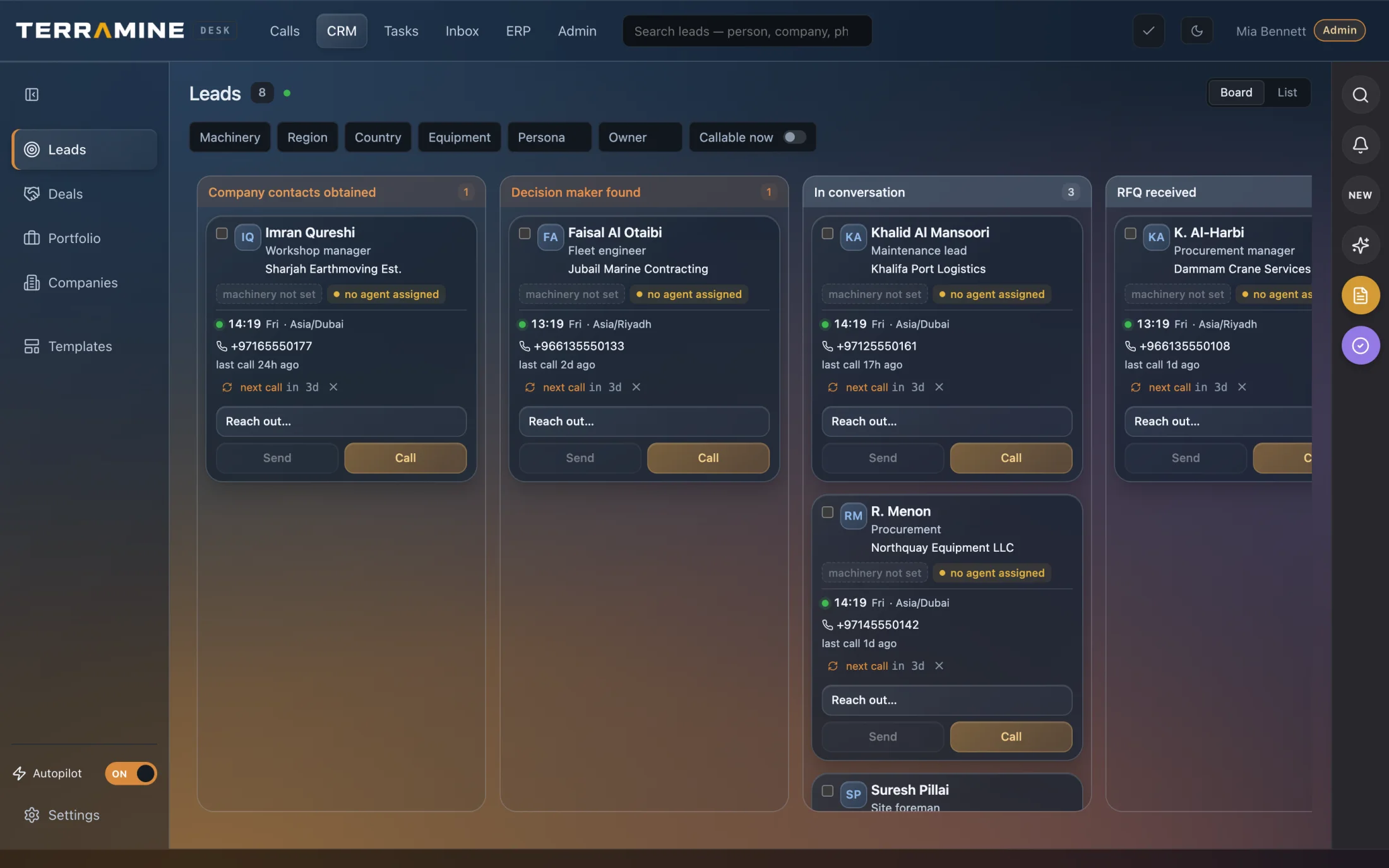
AI that helps your team understand customers and follow through.
Ask questions about your pipeline, capture key details from conversations and prepare the next action. Terramine Desk connects AI voice agents with customer records, deals and tasks, so your team can review the work and keep every follow-up moving.
Explore CRMFrom customer enquiry to quotation — with AI doing the preparation.
Terramine Desk turns customer requests into structured order lines, reads supplier quotations and helps your team prepare the next step. Review the details, compare sourcing options and approve the changes — all with the original conversation in view.
Explore ERP & orders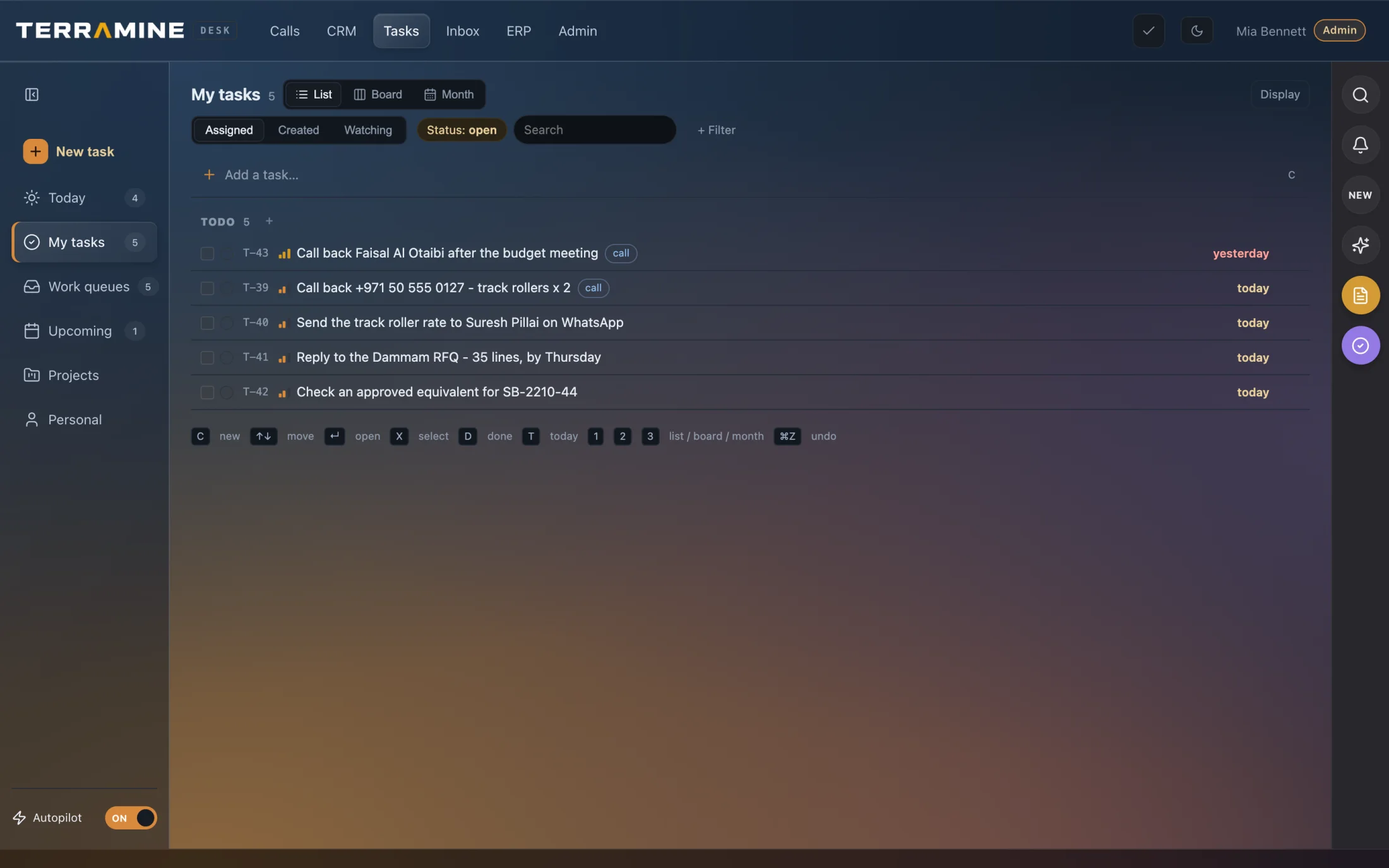
Turn the next step into a task — with AI.
Ask Terramine Desk what needs attention, create a follow-up or update a deadline in your own words. Review the proposed changes, then give the work a clear owner — with the customer and source record close at hand.
Explore Tasks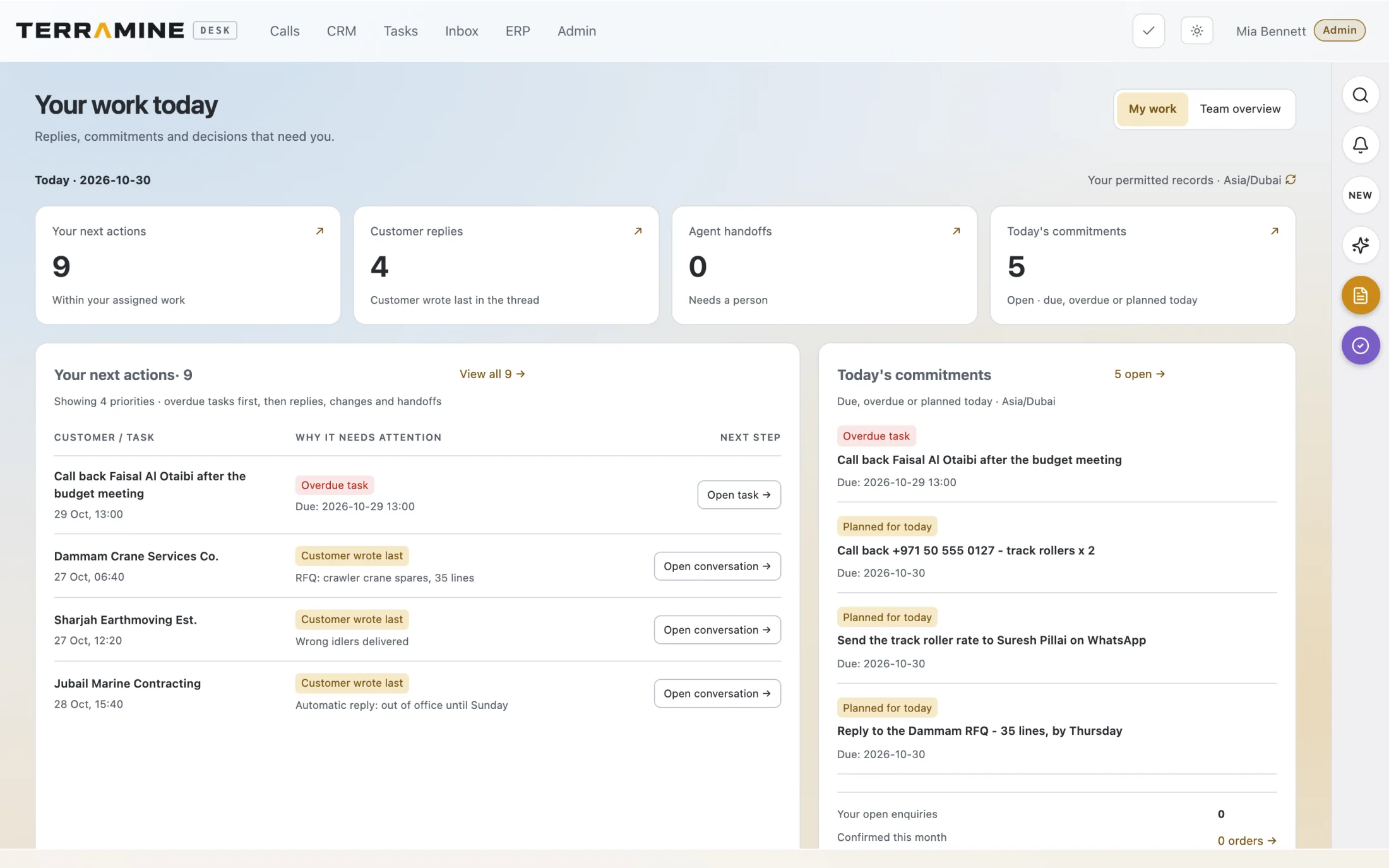
AI prepares the work. Your team stays in control.
Let AI agents prepare the work and keep the decisions visible to your team. Review the source enquiry, quotation, owner and activity history. Stay close to the work with the native Android and iOS apps, team updates and conversations with Ask Desk in Telegram.
Explore Human controlChoose the tools around your workflow.
When comparing options, look past the feature list. Check how calls, customer records, supplier responses and orders work together. Capabilities and costs vary by provider and configuration.
| Primary focus | Phone conversations | Customer enquiries | Supplier workflow | Pricing | |
|---|---|---|---|---|---|
| CRM and ERP suites | Customer relationships and operations | Check native calling and integrations | Check email capture and order entry | Check procurement modules and integrations | Varies by suite, modules and users |
| AI receptionists | Answering and routing calls | Check supported languages and handovers | Check where captured enquiries are stored | Check links to your procurement system | Check subscriptions and usage charges |
| Order-entry automation | Extracting order details from documents | Check links to your calling system | Check supported formats and review steps | Check how supplier responses are handled | Check document volumes and setup fees |
| Terramine Desk | Calls, email, CRM and trading ERP | AI calls linked to customer records | Draft orders from PDFs, photos or lists | Supplier requests and responses linked to orders | Per-workspace plans, with included usage and overage charges |
Use this as a buying checklist. Confirm the features, integrations and commercial terms you need with each provider.
The next person
has the context to continue.
A transcript, a source email and a customer record give the team the context behind the task.
Open the customer record