Ask about your customers and pipeline
Find leads, review customer history and identify overdue follow-ups. Ask questions such as “Which customers requested a callback yesterday?” and get answers from your CRM records and conversations.
 DESKTalk to our team
Ask questions about your pipeline, capture key details from conversations and prepare the next action. Terramine Desk connects AI voice agents with customer records, deals and tasks, so your team can review the work and keep every follow-up moving.
 Enlarge screen
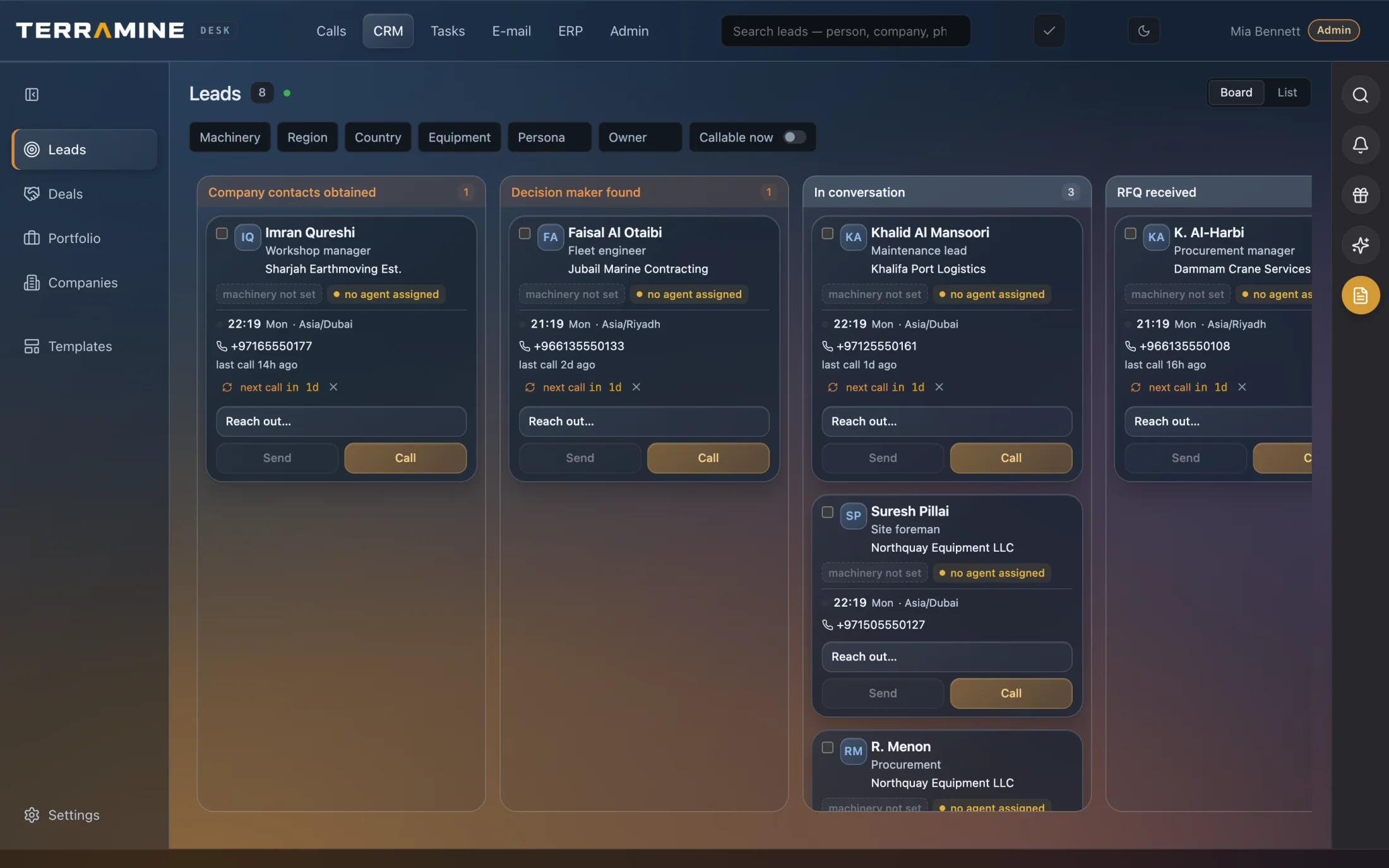
A lead board brings the contact, company, local time and next call into the same view.
 Enlarge screen
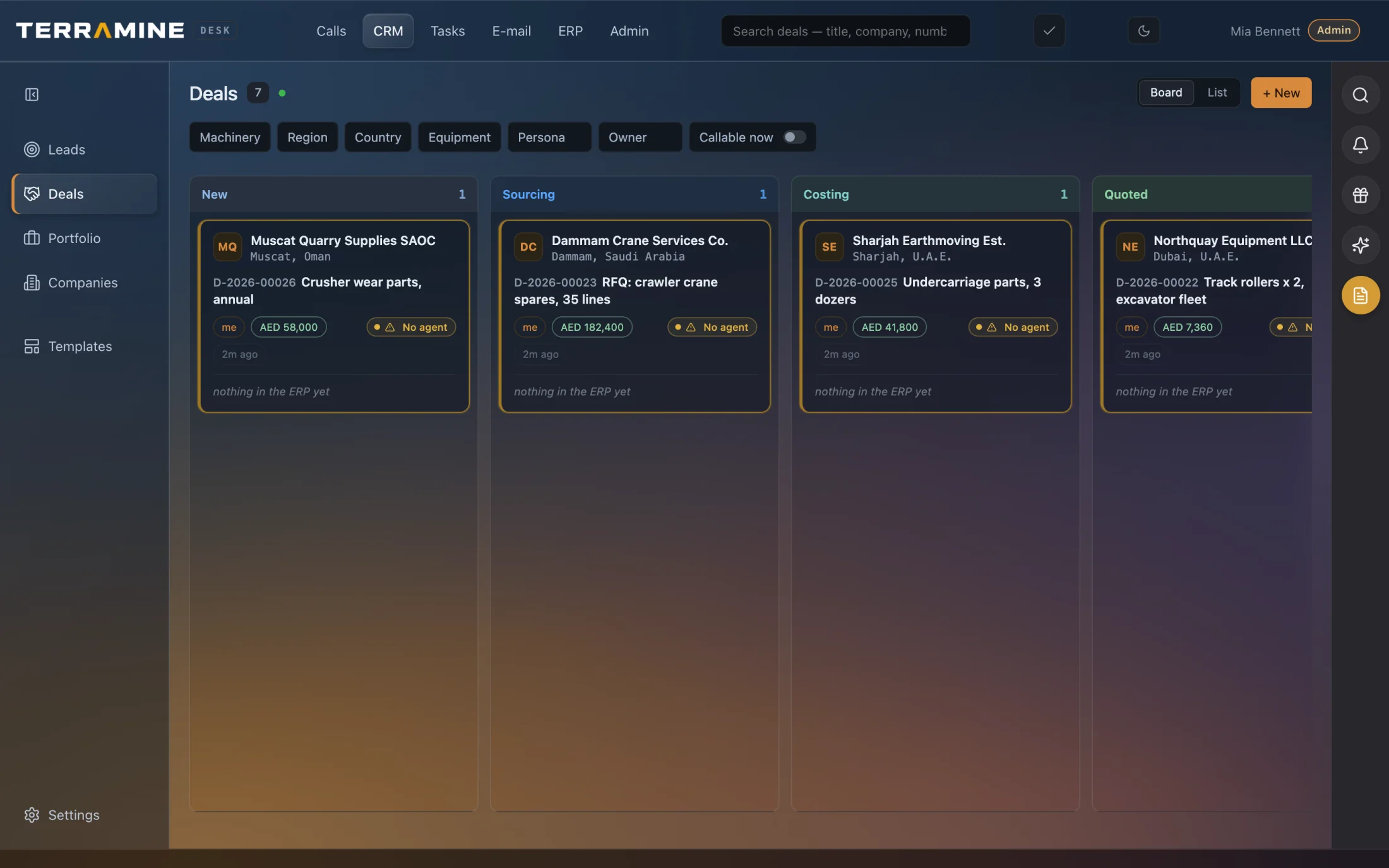
Review opportunities from a new request through sourcing, costing and quotation.
 Enlarge screen
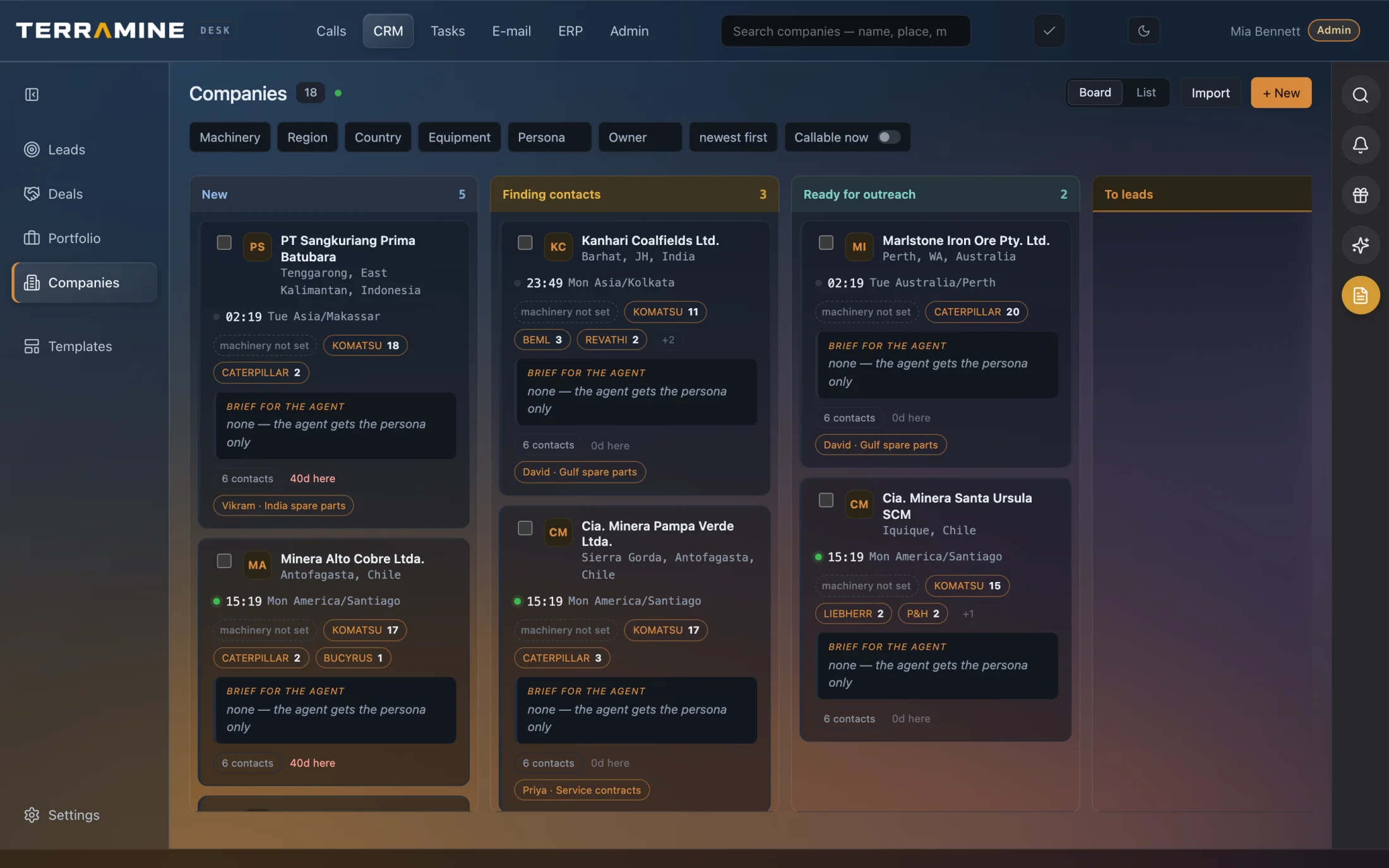
Company cards show location, equipment brands, contacts and the assigned agent.
Screenshots from the product. The interactive demo is a simplified guided example, not a copy of every product screen. Screenshots show the product version captured at the time.
Keep companies, contacts, leads and deals in one shared workspace, with the calls, emails and tasks behind each relationship. The CRM assistant answers questions and proposes action plans for review; small edits to the open record can apply immediately. Configured voice agents use customer history and company instructions during calls, then capture the outcome and agreed follow-up.
Chat with Terramine Desk to find information, understand what’s happening and get work done across CRM, calls, email, orders and tasks.
Built-in tools connect the AI to your workspace records and actions. Ask in your own words: the assistant can look up information, bring the context together and prepare changes for your approval.
Review proposed plans before confirming. Small edits to the open record can apply immediately; enabled automation follows its configured rules.
Discuss your workflowOpen the customer card from a call, an email or the CRM board. The contact, owner, next action and linked records are the same everywhere.
Explore the customer in CRMFind leads, review customer history and identify overdue follow-ups. Ask questions such as “Which customers requested a callback yesterday?” and get answers from your CRM records and conversations.
Turn calls into summaries with customer needs, timelines, decision-maker details, objections and agreed next steps. Keep the source conversation available for your team to check.
Ask the assistant to prepare new companies and contacts, update lead stages, create or edit deals, and add notes. Review the proposed changes before applying them.
Prepare linked tasks and schedule callbacks for a person or an AI voice agent. Choose the agent persona for the job; enabled agents can make scheduled calls with the customer context.
Use customer records, earlier conversations and company-specific instructions to brief agents and prepare relevant outreach messages. Review proposed messages and calling actions before running them.
Paste an address from an email or document and let AI separate it into structured company fields. Check the suggested details before saving them.
Keep customer and contact records, track leads and deals, review communication history and assign the next action. Terramine Desk connects those records to the calls, emails, tasks and orders behind the relationship.
Terramine Desk can answer questions about leads and customer history, extract key details from calls, prepare record updates, draft outreach and organise follow-up tasks. AI voice agents use that same customer context when handling configured calls.
Ask Desk presents plans for review, while small edits to the open record can apply immediately. Incoming agents and enabled scheduled callbacks run according to their configuration.
CRM focuses on the customer relationship and sales opportunity. ERP focuses on the commercial work: requested items, supplier responses, quotations and orders. In Terramine Desk, both use the same customer context.
It is one connected workspace. The demonstration lets you move between workspaces while keeping the same customer in view.
Yes. The customer card links back to the call transcript and the source email.
The demo uses fictional sample companies. Production customer data is never loaded into this demonstration.