Email and attachment summaries
Get a concise text summary of the message and its attachments, so your team can understand the request before reading every document.
 DESKTalk to our team
Terramine Desk summarises emails and attachments, recognises documents and prepares reply drafts for your team. Work from one shared inbox connected to your customers, tasks and orders.
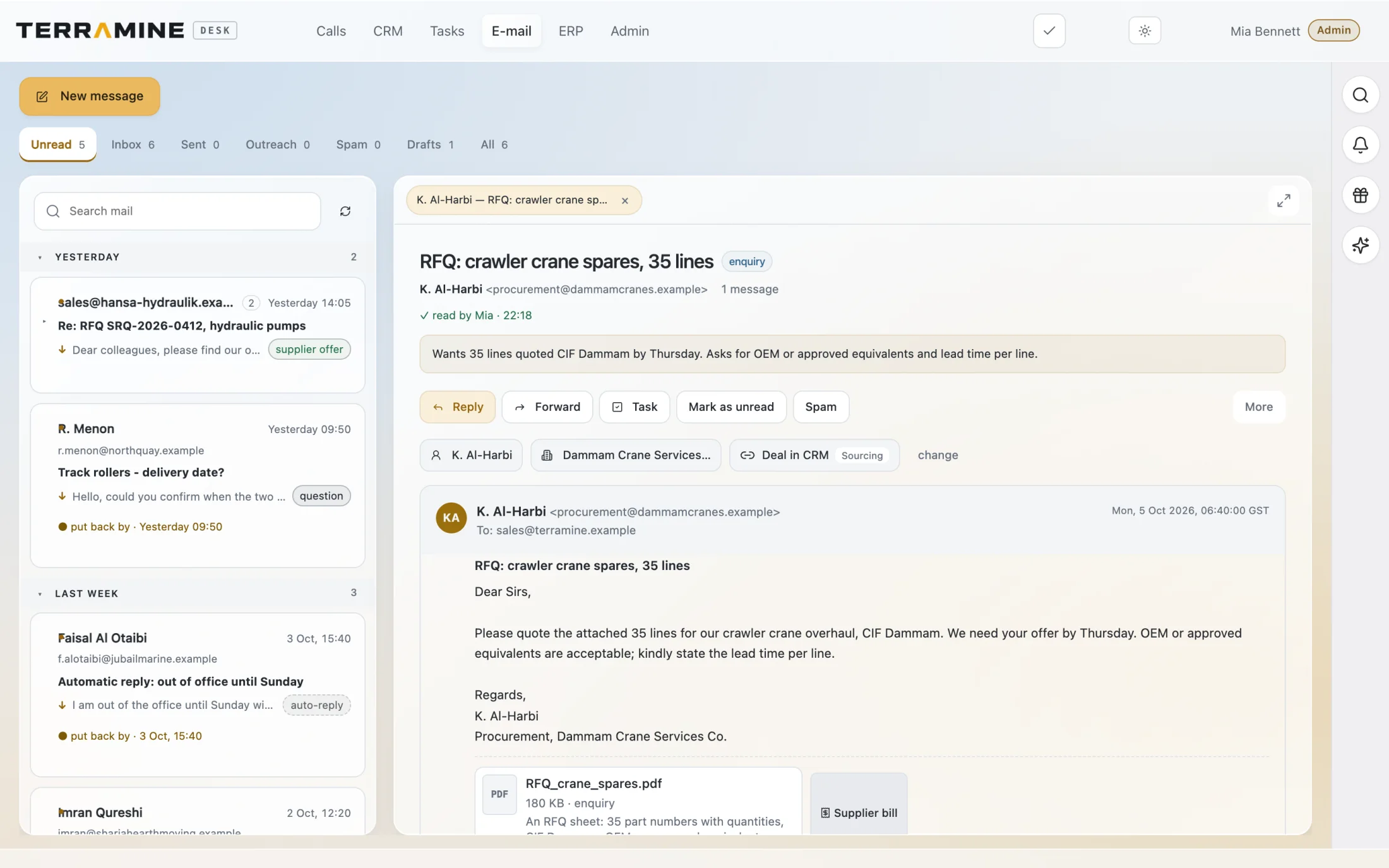 Enlarge screen
Read the request, keep the attachment and move directly to the customer, task or ERP order.
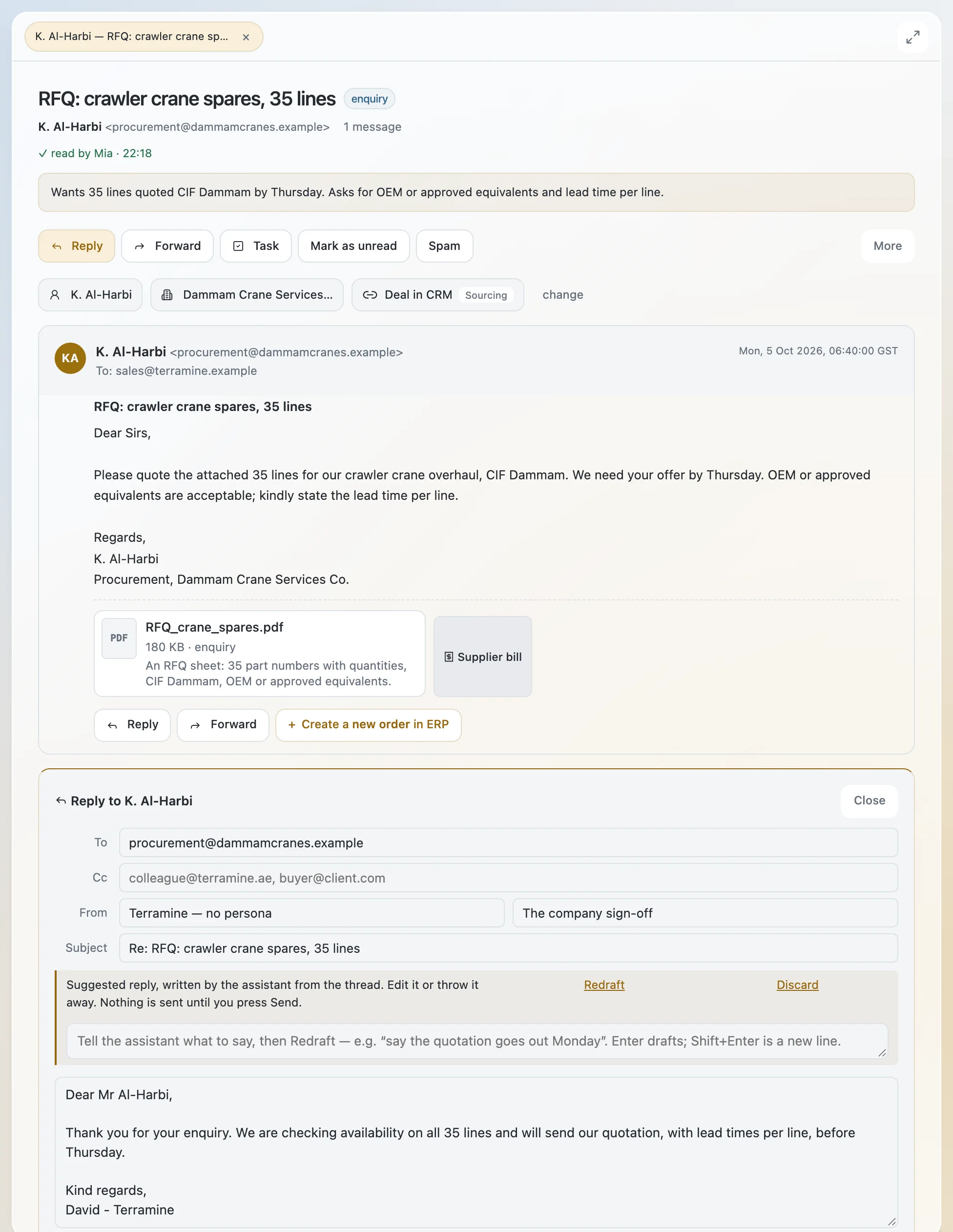 Enlarge screen
The enquiry and its commercial context remain visible while the team prepares a response.
Screenshots from the product. The interactive demo is a simplified guided example, not a copy of every product screen. Screenshots show the product version captured at the time.
AI identifies what an email is about and whether it needs a reply, then helps your team review the message and its attachments. Turn an enquiry into order lines, prepare a response in the customer’s language and keep the original documents linked to the work.
Chat with Terramine Desk to find information, understand what’s happening and get work done across CRM, calls, email, orders and tasks.
Built-in tools connect the AI to your workspace records and actions. Ask in your own words: the assistant can look up information, bring the context together and prepare changes for your approval.
Review proposed plans before confirming. Small edits to the open record can apply immediately; enabled automation follows its configured rules.
Discuss your workflowThe original message stays visible. Two requested line items are prepared for review, then become a customer order with a source link.
Read the example emailGet a concise text summary of the message and its attachments, so your team can understand the request before reading every document.
Upload files or work with received attachments. Read PDFs, images, spreadsheets, Word documents and text files, and identify enquiries, quotations, invoices and other document types.
When AI email triage is enabled, a message identified as needing a reply can receive a draft. Edit it or request a rewrite before sending.
Describe what you want to say to generate a reply, or ask AI to revise an existing draft. Keep your team’s instructions and the conversation in context.
Distinguish customer enquiries, supplier quotations, complaints and automated messages. See which emails need a reply and keep routine auto-replies out of the sales workflow.
Extract product references and quantities from an enquiry into a draft order. Review the identified items before creating the order, with the source email and documents still linked.
Terramine Desk reads supported attachments, identifies the document type and provides a text summary. It can also extract requested items from an enquiry for your team to review in a draft order. Supported formats include PDFs, images, spreadsheets, Word documents and text files.
AI prepares drafts for messages that need a reply, using the customer’s language and the conversation context. Your team can edit the wording, request a rewrite and review the reply before sending.
It helps turn an incoming customer enquiry into structured order information. In this demo, you review the identified items before creating the order, and can return to the source email afterwards.
The inbox is part of the same workspace as customer records, orders and tasks. A customer conversation can become an order or follow-up without losing the original message.
No. The sample send action updates the demonstration only. The contact page separately lets you prepare an email to our team.
Yes. Open the order and choose Source email to return to the original request.
The demo shows a reviewed transition: identified line items are checked before you create the order.