Read enquiries and attachments
Upload a PDF, spreadsheet or photo, or provide the customer’s message. AI extracts requested part numbers, descriptions and quantities so your team can review the order lines.
 DESKTalk to our team
Terramine Desk turns customer requests into structured order lines, reads supplier quotations and helps your team prepare the next step. Review the details, compare sourcing options and approve the changes—all with the original conversation in view.
 Enlarge screen
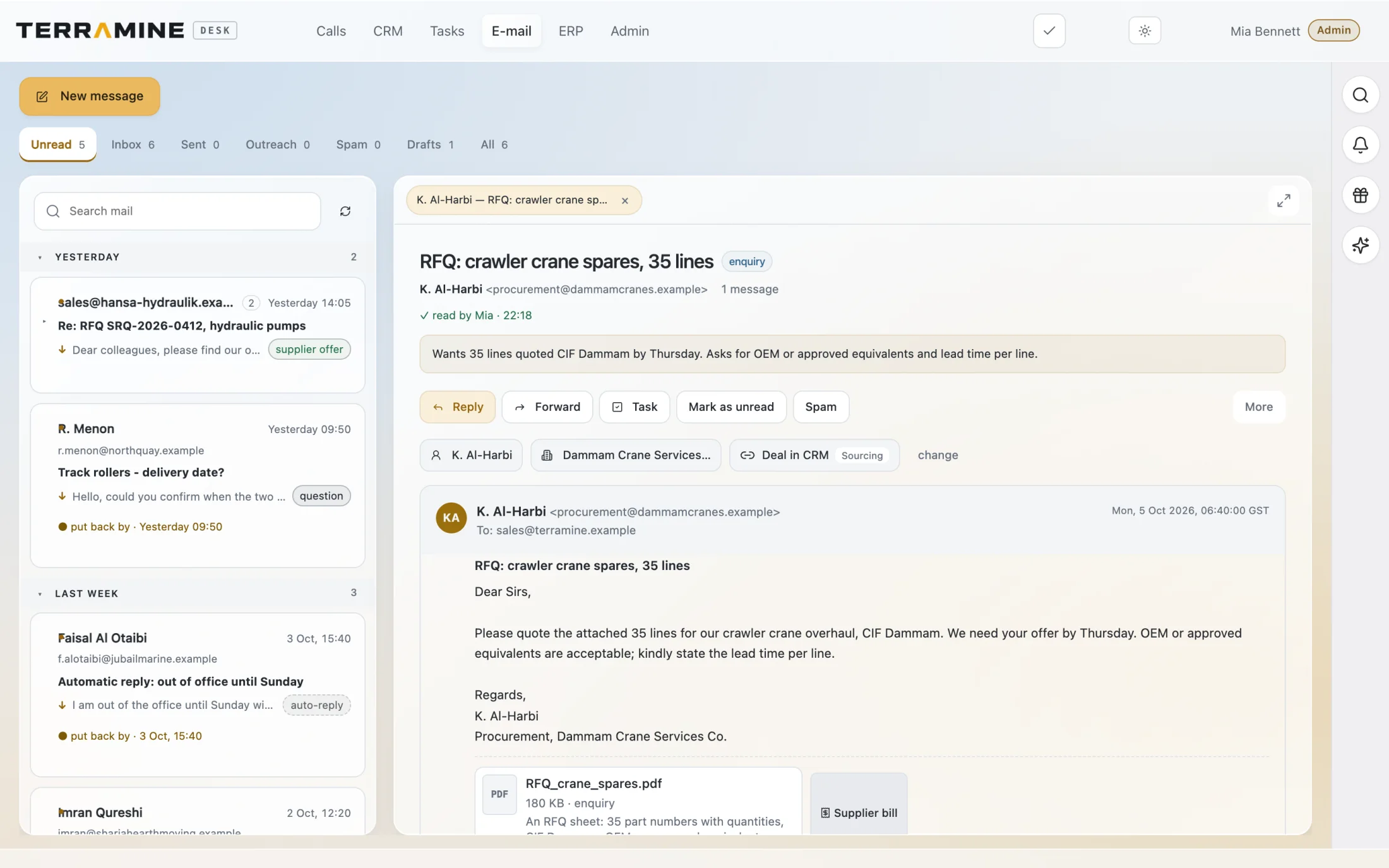
Keep the email and attachment beside the work. AI can extract the requested items for review before they become order lines.
 Enlarge screen
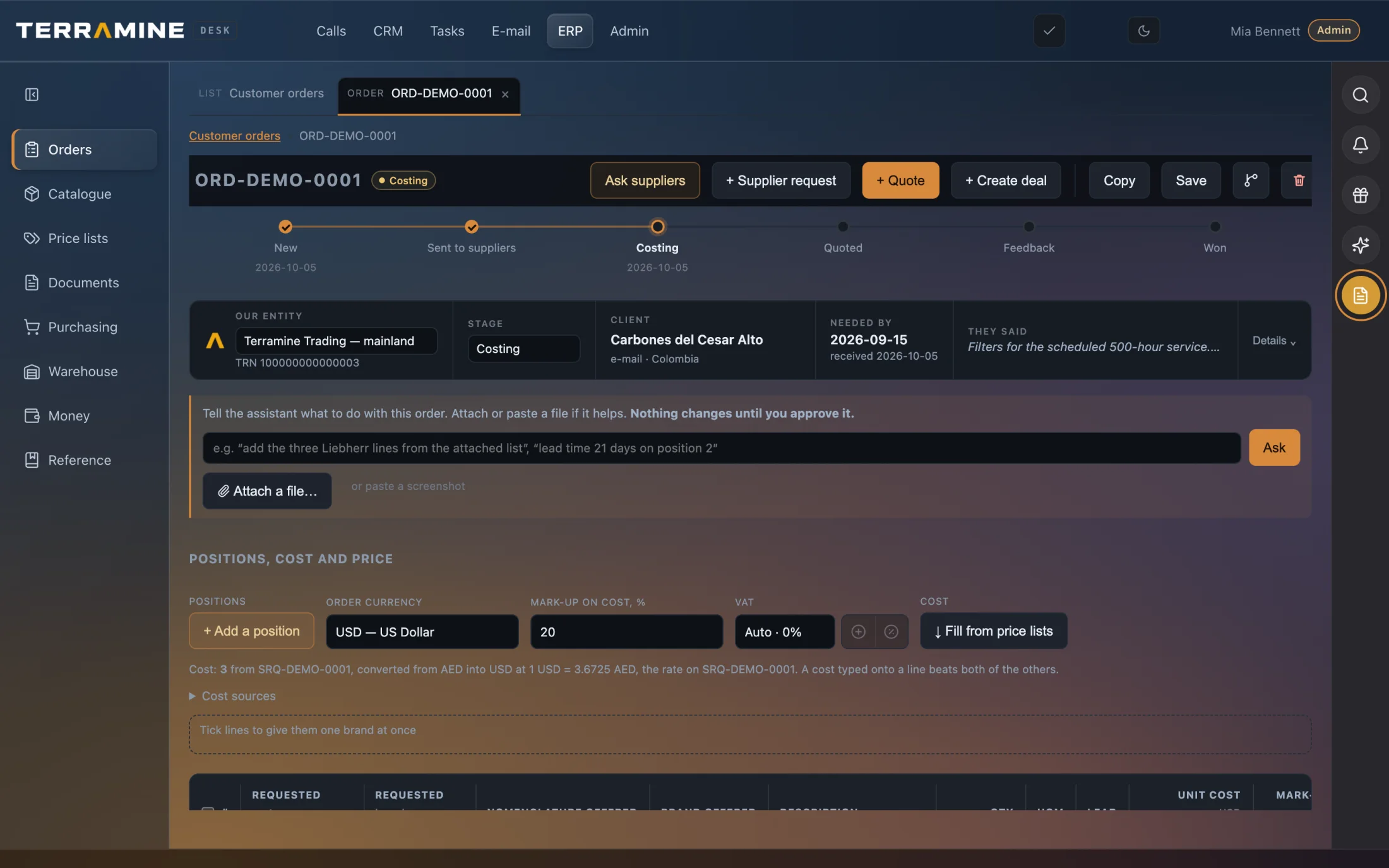
Review the structured line items, source request and order stage before preparing the quotation.
 Enlarge screen
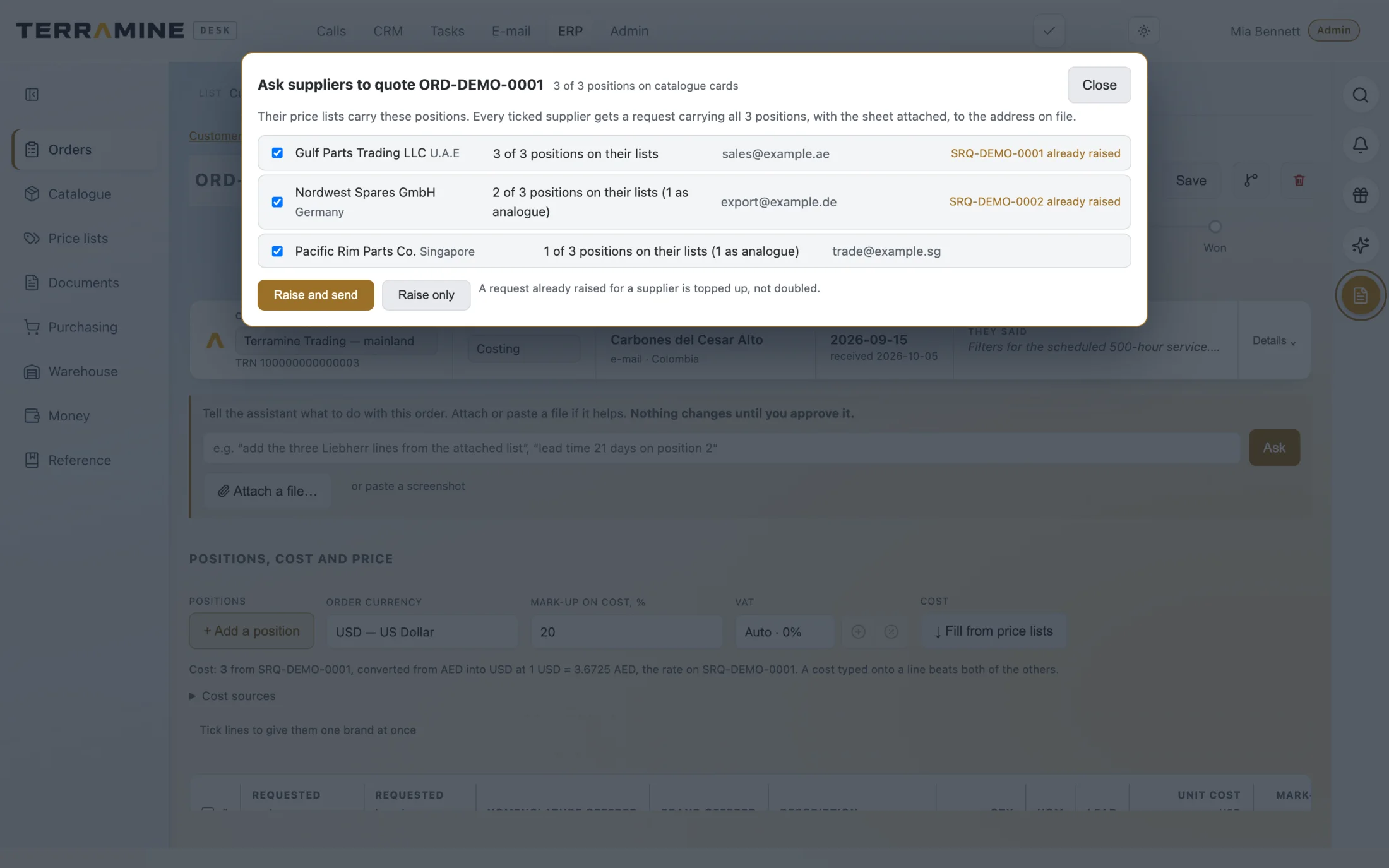
See which suppliers cover the order’s items, then choose whether to prepare requests or send them. Ask Desk can also propose this action for your approval.
 Enlarge screen
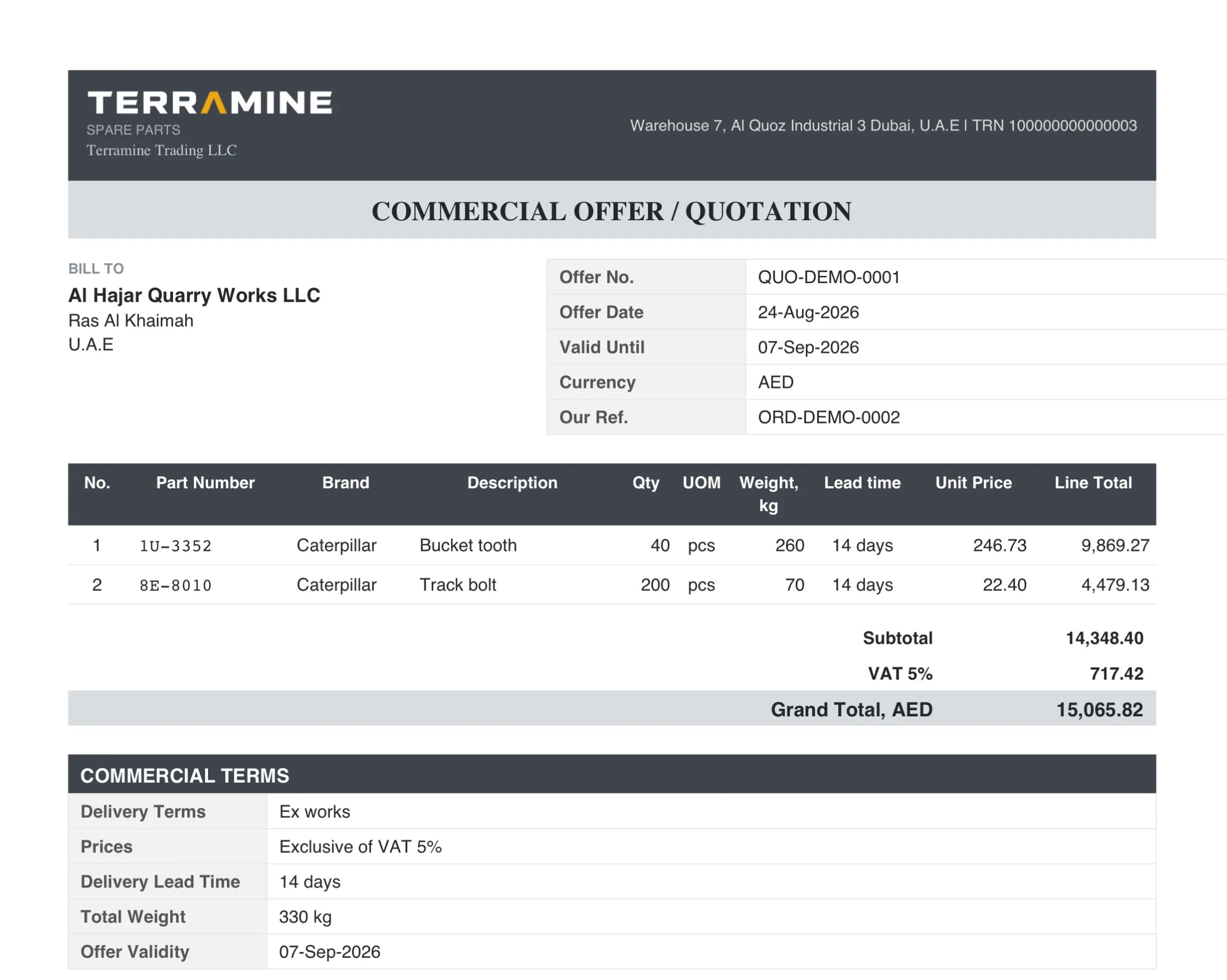
The resulting quotation groups the parts, quantities, prices, weight and commercial terms.
Screenshots from the product. The interactive demo is a simplified guided example, not a copy of every product screen. Screenshots show the product version captured at the time.
Chat with Terramine Desk to find information, understand what’s happening and get work done across CRM, calls, email, orders and tasks.
Built-in tools connect the AI to your workspace records and actions. Ask in your own words: the assistant can look up information, bring the context together and prepare changes for your approval.
Review proposed plans before confirming. Small edits to the open record can apply immediately; enabled automation follows its configured rules.
Discuss your workflowExplore a fictional customer order: review the requested parts, change a quantity, compare supplier lead times and prepare a quotation. The guided demo shows the order workflow; Ask Desk above illustrates AI assistance with sample conversations.
Explore the example orderUpload a PDF, spreadsheet or photo, or provide the customer’s message. AI extracts requested part numbers, descriptions and quantities so your team can review the order lines.
Read a supplier’s quotation into the relevant sourcing request. AI proposes prices, quantities, lead times and terms against the requested rows, with questions where the answer is unclear.
Identify the offered brand, original or aftermarket quality, and new, used or remanufactured condition when stated. Keep documented alternatives and cross-references visible for review.
Use catalogue matches and loaded price lists to find suppliers covering the order. Ask AI to prepare quotation requests with spreadsheet attachments, then approve before sending.
Ask Desk about order status, stock, supplier prices or catalogue alternatives. Request new order lines, changes to an order or a quotation, and review the proposed actions before applying them.
Move between the order, customer record, calls and email. The original conversation helps your team check requirements and follow through without rebuilding the context.
Keep customer orders, supplier requests, quotations, purchasing, stock and delivery documents in one trading workspace. Review costs, currencies, logistics and margins alongside the source enquiry. Calls, email and CRM keep the customer context connected throughout. Terramine Desk focuses on trading operations; accounting and other integration requirements are scoped during your pilot.
AI can read customer enquiries and supplier quotations, extract line items, help find suppliers and prepare order changes. Through Ask Desk, you can query orders, catalogue parts, stock and sourcing information, then review proposed actions before applying them.
The enquiry reader supports PDFs, photos, Excel spreadsheets, Word documents and text such as a pasted email. Review extracted part numbers, quantities and terms before using them in an order.
It reads the supplier’s answer and matches proposed values to the sourcing request’s rows. Prices, quantities, lead times and stated alternatives are presented for review. Unclear details are raised as questions rather than silently accepted.
Ask Desk presents proposed order changes for your review. Sending supplier quotation requests requires explicit confirmation. Reading a supplier answer produces proposals; you decide which values to accept.
Ask Desk can look up alternatives already recorded in your catalogue, and the quotation reader can capture cross-references explicitly stated by a supplier. Your team must confirm suitability; a similar part number alone does not establish compatibility.
Terramine Desk focuses on trading and sales operations: enquiries, sourcing, quotations, purchasing, stock and delivery documents. It connects that work to calls, email, CRM and tasks. Discuss your accounting and other integration requirements during the pilot.
The sample follows a parts enquiry because it makes references, quantities and lead times tangible. A pilot should validate your own products and trading workflow.
No. All parts, costs, prices and commercial terms in the demo are illustrative.
No. The demo keeps the onward delivery check visible before the team confirms an arrival date.